Sermon to Text Converter
You already have the sermon. Maybe it is a voice memo from Sunday morning, an MP3 from the church podcast, a WAV file from the sound desk, or a video sitting online. What you need now is a sermon to text converter: something that takes the spoken message and hands back words you can read, search, and keep. This guide covers the practical side of that task: which formats matter and which do not, what actually determines accuracy, how the conversion works, and what the text should look like when it comes back.
What audio formats does a sermon to text converter need?
Fewer than you might think. Sermon audio arrives in a handful of containers: M4A from a phone's voice memo app, MP3 from a church podcast or website, WAV from a soundboard, MP4 when it is a video file. Any serious converter reads all the common ones, and converting between formats is a solved problem. If a tool rejects your file over its format, that is a tool problem, not a file problem.
What the format cannot tell you is what is inside. A high bitrate MP3 of a muddy room is still a muddy room. The recording behind the file matters far more than the extension on the end of it.
What determines sermon transcription accuracy?
Two things: the audio and the vocabulary.
The audio side is intuitive. A direct feed from the sound desk converts better than a phone at the back of the balcony. Echo, crowd response, and heavy compression all cost accuracy. If the same sermon exists in more than one form, pick the source recorded closest to the sound system.
The vocabulary side is where sermons are unusual. Book names like Habakkuk and Philemon, place names, quoted King James phrasing: these are rare words for a general speech model, and they are the words you most need right. A converter that checks the scripture references it finds against a real Bible catches the worst errors, because a reference either resolves to an actual verse or it does not.
How does converting a sermon to text work?
The mechanics are similar across tools. The audio goes to a speech model running on a server, the model works through it faster than real time, and the text comes back with timestamps, usually within a few minutes for a full length message. A good tool has no meaningful length limit: an hour of preaching should convert in one piece, not in fragments you have to stitch together.
The practical differences are around the edges. Does the tool take a link as well as a recording, since plenty of sermons live online rather than on your phone? Does it keep timestamps, so a sentence in the text can take you back to that moment in the audio? And does the finished text land somewhere you control, or in a browser tab you will have lost by Friday?
What should the converted text look like?
Read the first paragraph of any converter's output before trusting it with a backlog of sermons. Good converted text reads like writing: punctuated sentences, capital letters where they belong, paragraph breaks at the turns in the message. Bad converted text reads like a caption stream, one long lowercase ribbon you have to re-punctuate in your head as you go.
Searchability is the other half. Text you cannot search is barely better than the audio you started with. The whole point of converting is that six months from now you can type a half remembered phrase and land on the exact moment it was said.
The text is the start, not the finish
Think about why you wanted the transcript in the first place. Almost nobody converts a sermon in order to read seven thousand words top to bottom. You wanted the verses that were preached, the main points, the one line worth sending to a friend. A plain converter gives you the words and leaves all that digging to you. A sermon-aware converter builds it for you: a verse list, a summary with takeaways, and quotable lines, all drawn from the same text.
A note on which guide you need. This page is for the person who already has the sermon in hand as a recording or a link. If your situation is a seat in the service every Sunday and a wish that your phone would handle all of this live, you want an app that transcribes sermons from the pew, which is its own set of problems and its own guide. And if the sermon you are after lives on YouTube, transcribing a YouTube sermon to text has a dedicated walkthrough, including YouTube's built-in transcript and its limits.
Convert any sermon to text, cleanly
Sunday Notes AI covers the two places most sermons come from. Record the message in the room, or paste a link to a sermon on YouTube, and the app converts the audio into an accurate, punctuated transcript with timestamps you can search.
From that text it detects every scripture reference and looks each verse up in a built-in KJV Bible, writes a summary with key takeaways, and creates shareable cards. Every converted sermon is filed on your device as a searchable entry, so the archive stays yours rather than living in a company's cloud account.
Get the app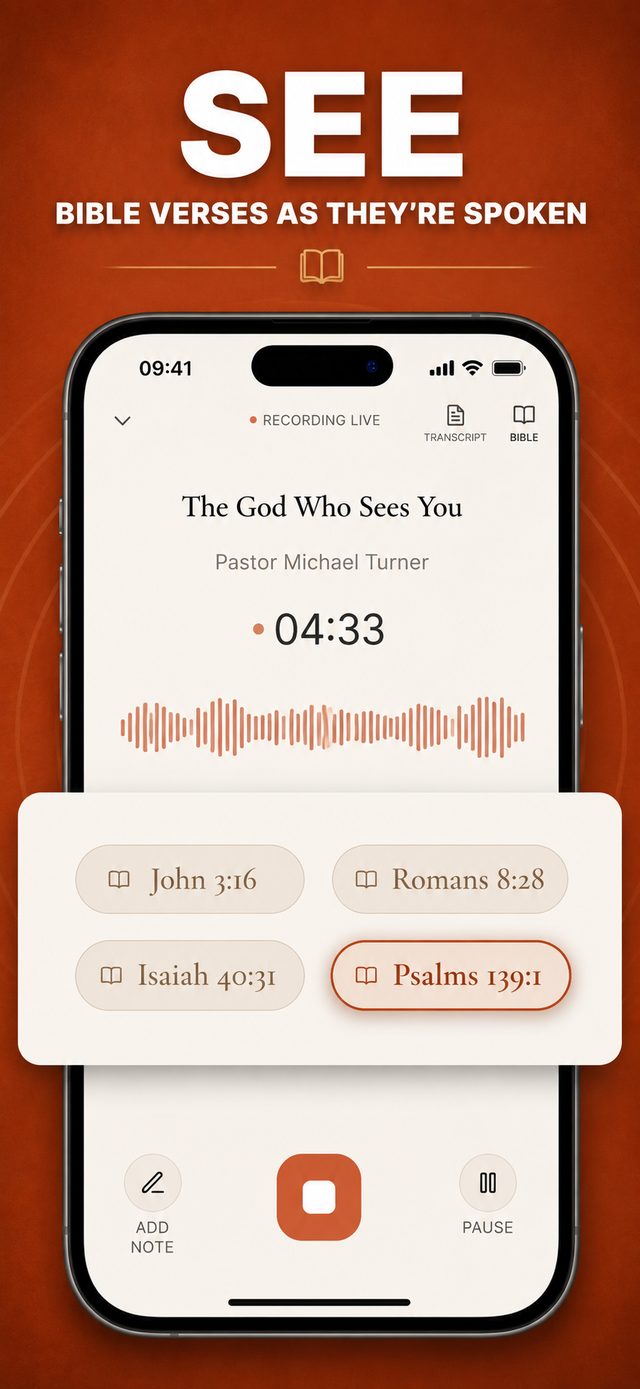
Common questions
What audio formats can a sermon to text converter handle?
The common ones are table stakes: M4A, MP3, WAV, and video files all carry the same speech, and moving between formats is trivial. In Sunday Notes AI the two intake paths are recording inside the app and pasting a YouTube link, which between them cover the room you sit in and the place most posted sermons live.
How long does converting a sermon to text take?
A few minutes for a typical message. The processing runs faster than real time on a server, so an hour of preaching does not mean an hour of waiting.
Is the converted text searchable?
It should be, with timestamps. Search is the main reason to convert at all: you find any moment in the message by typing a phrase you remember instead of scrubbing through audio.
Does converting a sermon to text lose the verses?
It does not have to. A plain converter gives you only the words, leaving you to hunt for the references yourself. A scripture-aware tool detects each verse as it converts and checks it against a real Bible, so the references come out as a usable list instead of staying buried in the transcript.
Where is my converted text stored?
That depends on the tool, and it matters for something as personal as a record of sermons. Favor one that keeps the text on your device. Sunday Notes AI stores transcripts locally on your phone rather than in a cloud account.
Keep reading
More guides that go with this one: sitting in the service each week? Start with the app that transcribes sermons guide. Working from a video? See transcribe a YouTube sermon to text, and once the words are in hand, how to find the Bible verses mentioned in a sermon. Or head back to the Sunday Notes AI home page to see how the whole app fits together.