The Best Way to Record a Sermon on iPhone
Your iPhone is the best sermon recorder most people own, because it is the one already in your pocket when the pastor stands up. But the best way to record a sermon on iPhone is not opening a recorder app and hoping. A ninety-minute service, an incoming call, and a microphone buried under a coat can each ruin a recording in a different way, and each one is preventable with about two minutes of setup. Here is what actually matters: where you sit, where the phone goes, what happens when the screen locks, and how to end up with more than a long audio file for your trouble.
Where should you sit to record a sermon?
If your church runs sound through a PA system, you are not really recording the pastor, you are recording the room, and almost every seat hears the same mix. So pick your seat by what else it hears. Stay away from the loudest non-sermon sounds: the air conditioning vent, the aisle where people come and go all service, the door to the nursery. A congregation laughing or saying amen is no problem at all. A vent humming two feet from your microphone for forty minutes is worse than any of it. If you have the choice, a spot between two speakers usually sounds better than a seat directly underneath one, which can come out harsh.
In a smaller room with no sound system, distance is what matters. Sit within the first several rows with a clear line between your phone and the preacher. Every row farther back trades speech for room echo.
Where should you put your iPhone during the service?
Face up, on a firm surface, with the microphone end pointed toward the sound. Your leg works. The empty seat beside you works. The ledge of the pew in front of you works. What does not work: a pocket, a bag, a Bible resting on top of the phone, or the phone face down on padded fabric, which smothers exactly the frequencies speech lives in.
Then leave it alone. You do not need to hold it up or check on it. Every bump and reposition lands on the recording as loud handling noise, right on top of whatever the pastor was saying.
Does an iPhone keep recording when the screen locks?
Yes, as long as the app supports background recording. iPhone lets audio apps keep capturing with the screen off, so you can press record, lock the phone, and forget it exists until the closing prayer. The real threat is not the lock screen, it is interruptions: an incoming call can stop a recording, and a forgotten alarm will play straight through the sermon. Before the service, turn on Do Not Disturb, or go one step further and switch to airplane mode. Airplane mode guarantees nothing rings or buzzes, and recording works fine without a connection.
How much storage and battery does a recording use?
Less than most people fear. Compressed audio runs roughly 25 to 30 megabytes per hour, so a whole year of Sunday recordings takes about the space of a few minutes of 4K video. Battery is just as light: recording audio with the screen locked is one of the least demanding jobs a phone can do. Glance at your free space and charge before a normal service, and top up properly before a conference or an all-morning gathering where you might record for three or four hours.
Why the audio file is not the goal
Recording is the easy part. The reason you recorded is to come back to the message, and a raw audio file is a poor way to do that. You cannot skim it or search it, and finding the verse the pastor quoted somewhere past the midpoint means scrubbing and guessing at timestamps. In practice, recordings pile up unplayed.
The capture becomes worth keeping when it turns into text: a transcript you can search, the verses listed out, a summary you can reread in a minute. That is the difference between a folder of audio files you never reopen and an archive of every message you have heard. An app that transcribes sermons closes that gap without adding any work on Sunday.
Step by step
Silence interruptions and check your space
Turn on Do Not Disturb or airplane mode, then glance at storage and battery so a long service cannot cut the recording short.
Place the phone face up with the microphone clear
Set it on your leg or the seat beside you, microphone end toward the sound, nothing resting on top of it.
Press record before the message begins
Start a minute early so you catch the opening, lock the screen, and stay present.
Stop when the message ends
End the recording after the sermon, and let the app turn it into a transcript, the verses, and a summary.
Record on iPhone and get everything back
Sunday Notes AI is built to record a sermon on iPhone and hand you far more than an audio file. Press record as the message starts and set the phone down. Recording keeps running when the screen locks, so a long service is no problem.
When you stop, the app transcribes the message, detects every scripture, and writes a summary with key takeaways. The recording is stored on your device, filed as a searchable entry in your library instead of a lonely audio file you will never scrub through.
Get the app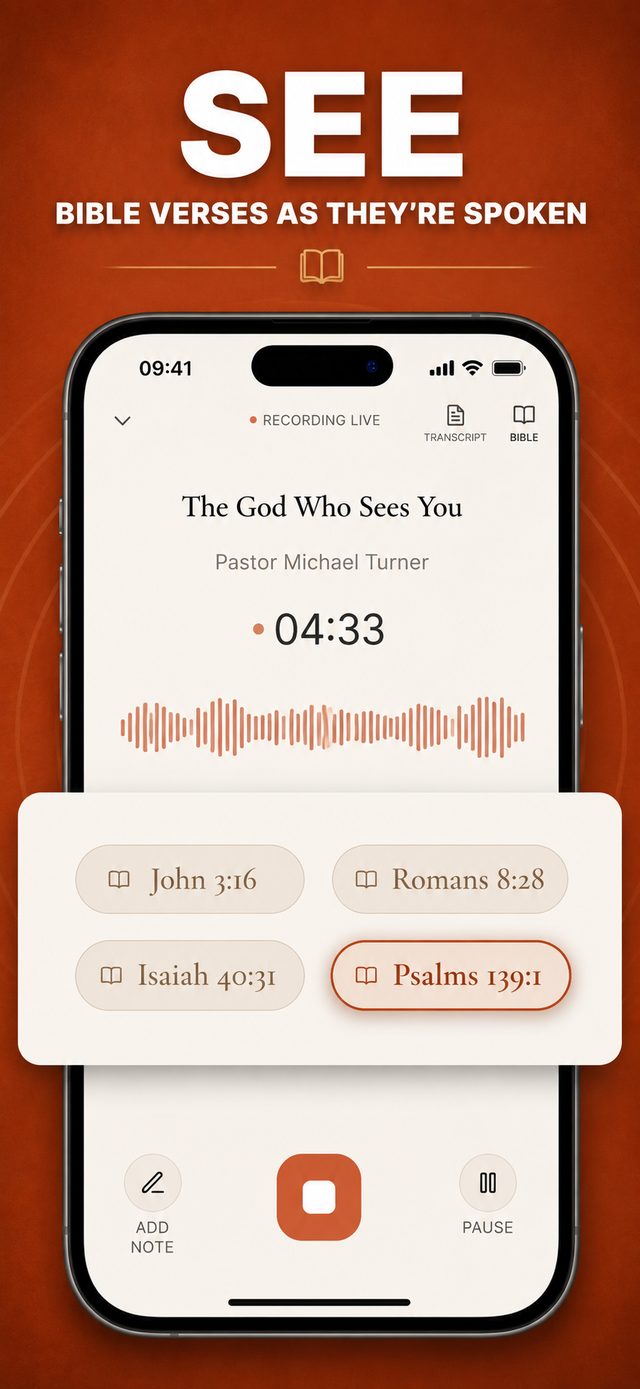
Common questions
Will the iPhone keep recording when the screen locks?
Yes, with an app built for background recording. Sunday Notes AI keeps recording on iPhone when the screen locks, so you can set the phone down and forget it for the whole service. If you use a different recorder, confirm it supports background recording before you rely on it.
Where should I put my phone during the service?
Face up on a firm surface with the microphone uncovered, aimed toward the sound. Your leg or the seat beside you usually works. Keep it out of pockets and bags, which muffle speech badly.
How much storage does a sermon recording use?
Compressed audio runs roughly 25 to 30 megabytes per hour, far lighter than video. A normal service barely registers, but check your free space before a long conference or an all-morning gathering.
Keep reading
More guides that go with this one: app that transcribes sermons, how to take notes during a sermon, how to organize sermon notes. Or head back to the Sunday Notes AI home page to see how the whole app fits together.